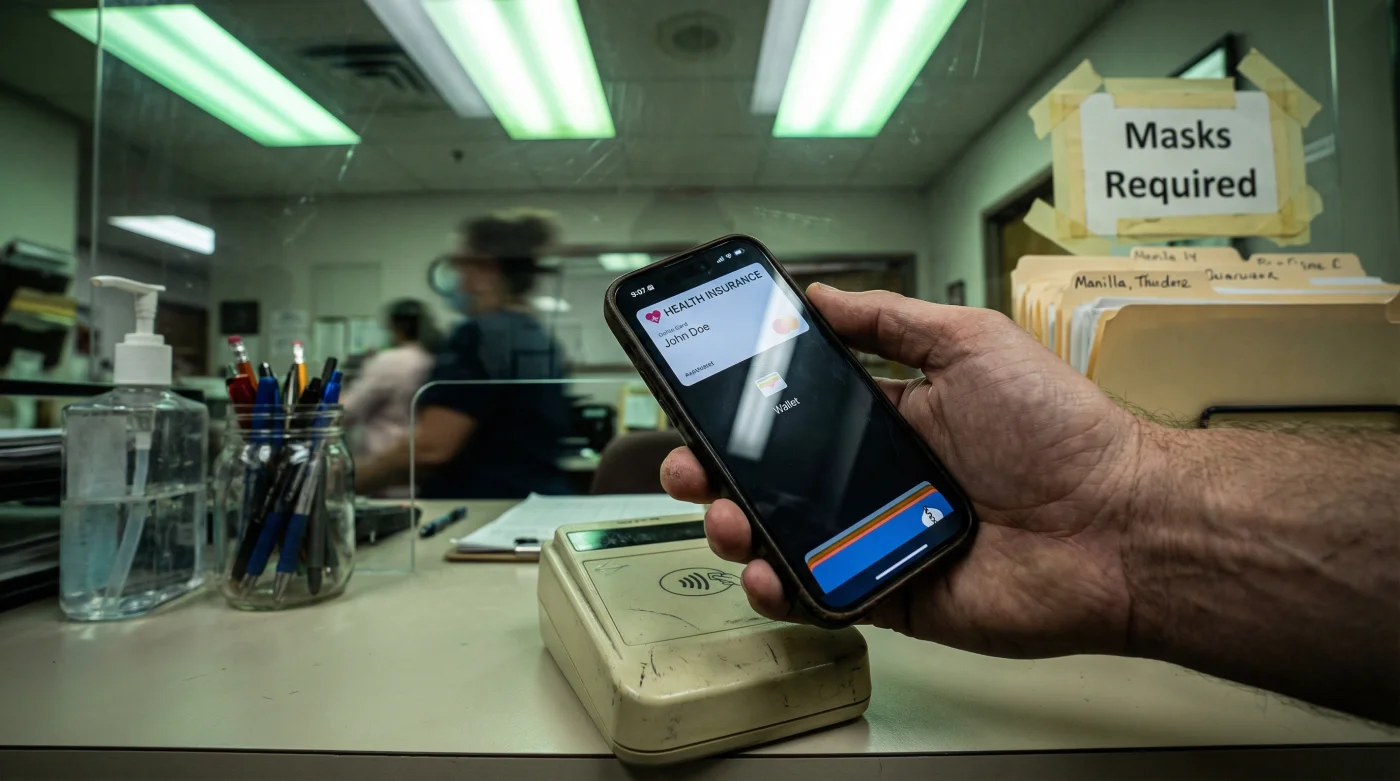
It happens at almost every medical appointment: you are standing at the receptionist’s window, a line of impatient patients forming behind you, as you frantically dig through a physical wallet stuffed with old receipts and loyalty cards. You are searching for that one flimsy, fading piece of plastic—or worse, paper—that proves you have coverage. It is a universal stress trigger that feels increasingly archaic in an era where we pay for groceries with our watches and board transcontinental flights with a simple tap of a phone screen.
However, there is a specific digital modification that savvy patients are making right now to eliminate this friction entirely. By migrating your health insurance credentials directly into your Apple Wallet, you aren’t just saving pocket space; you are fundamentally changing the physical check-in experience. This simple integration ensures your policy details, group numbers, and copay information are instantly accessible with a double-click of your iPhone’s side button, turning a clumsy administrative hurdle into a seamless, five-second interaction.
The Digital Shift: Why Health Data is Moving to the Lock Screen
For years, the healthcare industry lagged behind the financial sector in terms of user experience. While banking apps became sleek and intuitive, insurance portals remained clunky. That dynamic is shifting rapidly as major carriers like UnitedHealthcare, Aetna, Anthem, and Cigna increasingly support integration with Apple Health and Apple Wallet. This isn’t just about convenience; it is about data integrity and security. A physical card can be lost, stolen, or damaged in the wash. A digital card is protected by the biometric security of Face ID or Touch ID.
The transition to digital insurance cards isn’t just a trend; it’s the new standard for patient intake efficiency. We are seeing a 30% reduction in check-in times for patients utilizing digital wallets compared to those searching for physical documents.
The modification works because it leverages the localized behavior we have already built around Apple Pay. When you walk up to a counter, your muscle memory already knows how to trigger the wallet. By placing your health insurance card in the same digital stack as your credit cards, you are piggybacking on an existing habit, ensuring you never leave your proof of insurance at home again.
The Security Advantage Over Plastic
- Social Security launches a mandatory national appointment calendar on March 7
- Amazon confirms the end of free returns for all US users
- Paint your front door black to add 6000 dollars in value
- Walmart adds a dedicated lane for EBT and SNAP users only
- Plumbers say stop using electric water heaters to save 400 dollars
| Feature | Physical Plastic Card | Apple Wallet Card |
|---|---|---|
| Accessibility | Requires physical wallet; easily forgotten | Always with you on iPhone/Apple Watch |
| Updates | Requires mail delivery (2-3 weeks) | Instant over-the-air updates |
| Security | None; visual theft possible | Face ID / Touch ID / Passcode |
| Durability | Fades, cracks, or tears over time | Indestructible digital format |
How to Execute the Modification
Adding your card is rarely as simple as taking a photo of it. To get the full functionality—where the card appears as a verified pass in your Wallet—you typically need to use your insurance provider’s official app. Here is the standard workflow that works for most major US carriers:
- Download the Carrier App: Ensure you have the latest version of your insurer’s app (e.g., the UnitedHealthcare or BlueCross app) installed on your iPhone.
- Log In: Authenticate using your member credentials.
- Locate ‘ID Cards’: Navigate to the section usually labeled “ID Cards” or “Member Info.”
- The ‘Add to Wallet’ Button: Look for the distinct black “Add to Apple Wallet” badge. Tapping this will generate a pass file.
- Confirm: Your phone will show a preview of the pass. Tap “Add” in the top right corner.
Once added, the card lives in your wallet stack. When you arrive at the doctor, you simply access the wallet, tap the card, and tap the “i” or “more” button to flip the card over and reveal detailed claims addresses and phone numbers usually found on the back of physical cards.
Frequently Asked Questions
Is it safe to have my insurance info on my phone?
Yes, it is arguably safer than a physical card. Apple Wallet data is encrypted, and your phone requires biometric authentication (Face ID or Touch ID) or a passcode to access the information. If your phone is lost, you can remotely wipe it via iCloud, whereas a lost physical wallet is much harder to secure.
Will every doctor’s office accept a digital card?
While the vast majority of providers in the United States accept digital proof of insurance, there are still some legacy systems or strict offices that demand a photocopy of a physical card. It is wise to keep your physical card in a safe place at home as a backup, but for 99% of routine check-ins, the digital version is sufficient.
Can I add my family members’ cards?
Yes. If you are the primary policyholder, most insurance apps allow you to view and export cards for all dependents covered under your plan. You can add distinct passes for your spouse and children to your own Apple Wallet for easy management during family visits.
Does this work without an internet connection?
Absolutely. Once the pass is added to your Apple Wallet, it is stored locally on the device’s secure element. You do not need Wi-Fi or cellular data to pull up the card details at the reception desk, making it reliable even in hospitals with poor signal reception.