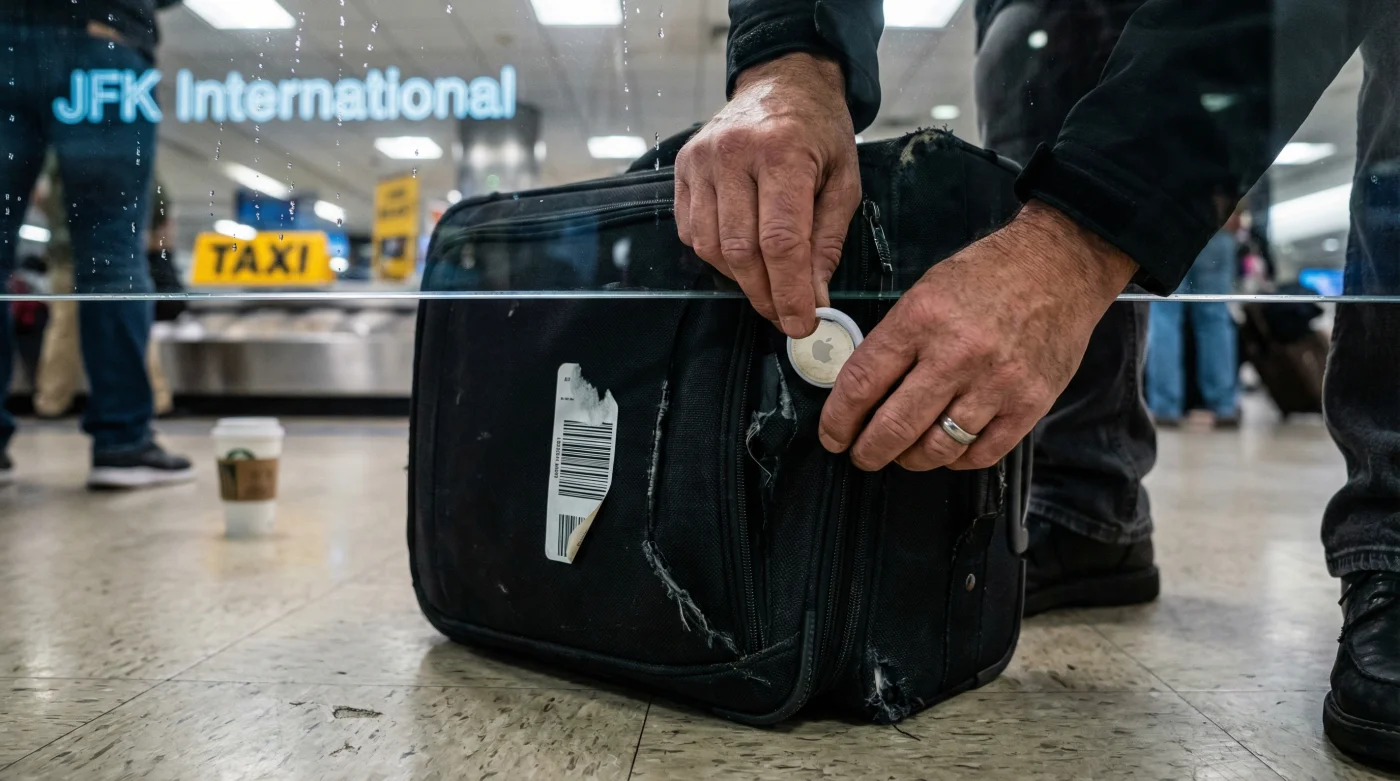
It is the quintessential New York City nightmare: You have just touched down at JFK after a long-haul flight, exhausted and desperate for a shower, only to find yourself trapped in the purgatory known as the baggage claim hall. For most travelers, this marks the beginning of the "carousel stare," a helpless hour-long vigil watching an empty belt spin while anxiety mounts. But recently, a savvy subset of passengers has been spotted bypassing this anxious herd entirely, heading straight for the exit or a coffee shop, or conversely, marching directly to the baggage office before the belt even starts moving.
The secret weapon isn’t elite status or a private courier service; it is a twenty-dollar luggage tracker tucked inside the lining of a suitcase. While airlines have their own internal scanning systems, the data is often delayed by up to an hour, leaving passengers in the dark. By taking control of the tracking data personally, travelers at JFK are rewriting the rules of arrival, using real-time geolocation to skip the lines of confused passengers and resolve baggage disasters before the airline even admits there is a problem.
The Shift to Data-Driven Travel
The infrastructure at John F. Kennedy International Airport is famously complex, handling over 60 million passengers annually. With such volume, the gap between where your bag actually is and where the airline app says it is can be massive. This latency is where the chaos breeds. The travelers who are "skipping the lines" are essentially skipping the information lag. Instead of standing shoulder-to-shoulder at Carousel 4 hoping for a bag that hasn’t even been unloaded from the cargo hold, they are monitoring their luggage via Bluetooth or UWB (Ultra-Wideband) signals on their phones.
This habit has evolved from a tech novelty into a necessary survival tactic. When a bag is left on the tarmac or misrouted to a different terminal—a frequent occurrence during JFK’s peak operation hours—the tracker provides immediate proof. While 200 people line up at the general customer service desk to ask "Where is my bag?", the tracker-equipped passenger walks straight to the Baggage Service Office (BSO), shows the agent the precise location of the bag on a map, and initiates a retrieval request immediately.
"The power dynamic has shifted. You are no longer asking the airline IF they have your bag; you are telling them exactly WHERE it is. At a massive hub like JFK, that difference saves you three hours of waiting in the wrong line." — Aviation Consumer Analyst
Why The Airline App Isn’t Enough
- Social Security launches a mandatory national appointment calendar on March 7
- Amazon confirms the end of free returns for all US users
- Paint your front door black to add 6000 dollars in value
- Walmart adds a dedicated lane for EBT and SNAP users only
- Plumbers say stop using electric water heaters to save 400 dollars
Here is how the third-party tracker advantage plays out against standard airline tracking:
| Scenario | Airline App Data | Personal Tracker Data |
|---|---|---|
| Bag left on plane | Status: "Arrived at JFK" (Generic) | Location: Gate B32 (Specific) |
| Bag at wrong carousel | Status: "Delayed" | Location: Terminal 4, Carousel 2 |
| Bag stolen/taken by mistake | Status: "Delivered" | Location: Moving on the Van Wyck Expressway |
Mastering the Retrieval Protocol
To effectively use this method at JFK, you need to follow a specific protocol. Simply knowing where the bag is won’t help if you don’t know how to leverage that information. The goal is to avoid the "general population" lines where agents are simply typing in ticket numbers to see what the computer says.
- The Pre-Emptive Strike: Upon landing, check the tracker immediately. If the bag is detected near the plane but hasn’t moved to the terminal after 30 minutes, do not wait at the carousel. Go directly to the baggage claim agent and show them the timestamp.
- The "Ghost" Bag: If the airline claims the bag is lost, but your phone shows it is in the chaotic pile of unclaimed luggage in the corner of the hall (common in Terminal 1), you can bypass the lost luggage claim paperwork line entirely. Walk over, trigger the "Play Sound" feature, and retrieve your bag physically.
- The Wrong Terminal: If your connection was tight and your bag ended up in Terminal 8 while you are in Terminal 1, the airline might not realize this for hours. With tracker evidence, you can file a specific cross-terminal retrieval request immediately, skipping the "tracing" phase.
Frequently Asked Questions
Does a tracker guarantee my bag comes out first?
No. A tracker does not influence the baggage handlers’ unloading order. However, it gives you the freedom to step away from the carousel. If you see your bag is still on the tarmac, you can go grab a coffee or use the restroom without the fear of missing your luggage, effectively "skipping" the anxious waiting line.
Do these trackers work deep inside JFK terminals?
Generally, yes. Devices like AirTags rely on the network of other nearby phones (iPhone users) to ping their location. Given the density of people at JFK, there is almost always a device nearby to relay the signal, even in baggage basements.
What if the airline disputes my tracker’s location?
This is common, as their system is their "source of truth." Be polite but firm. Show them the map on your screen. Agents at JFK are often overwhelmed and appreciate specific data that helps them close a case quickly. If they see the bag is just in the next room, they are more likely to send a runner to get it than if they have to search the whole airport.